What are the new BlackLine features for October 2021 and February 2022?
BlackLine – New Releases (October 2021 and February 2022)
BlackLine is an active software provider in terms of delivering new features and continuous improvement of the solution. As such, a new release is made available every three months for all clients. The process is as follows: the new release is first installed in your Sandbox environment, and then on the Production instance a few weeks later. This article is the first in our “BlackLine – New Releases” series, which will allow us to guide you through the solution’s main improvements.
The last two releases from October 2021 and February 2022 introduced very interesting and useful features for BlackLine users. Below, we present those we consider the most significant:
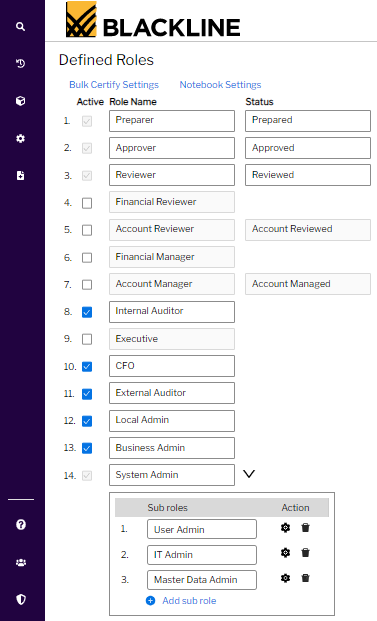
- New feature dedicated to permission management. Previously, there were only 3 different administrator roles:
- Local: responsible for settings at the level of one or more entities
- Business: responsible for maintaining functional settings
- System: responsible for maintaining technical and functional settings
In certain contexts, the permissions granted by these roles could prove to be too broad, and some organizations often have dedicated personnel to manage permissions. Since the October 2021 release, it is now possible to create new, fully customizable administrator roles. This new feature increases security and separation of duties while offering more flexibility for maintaining the solution.
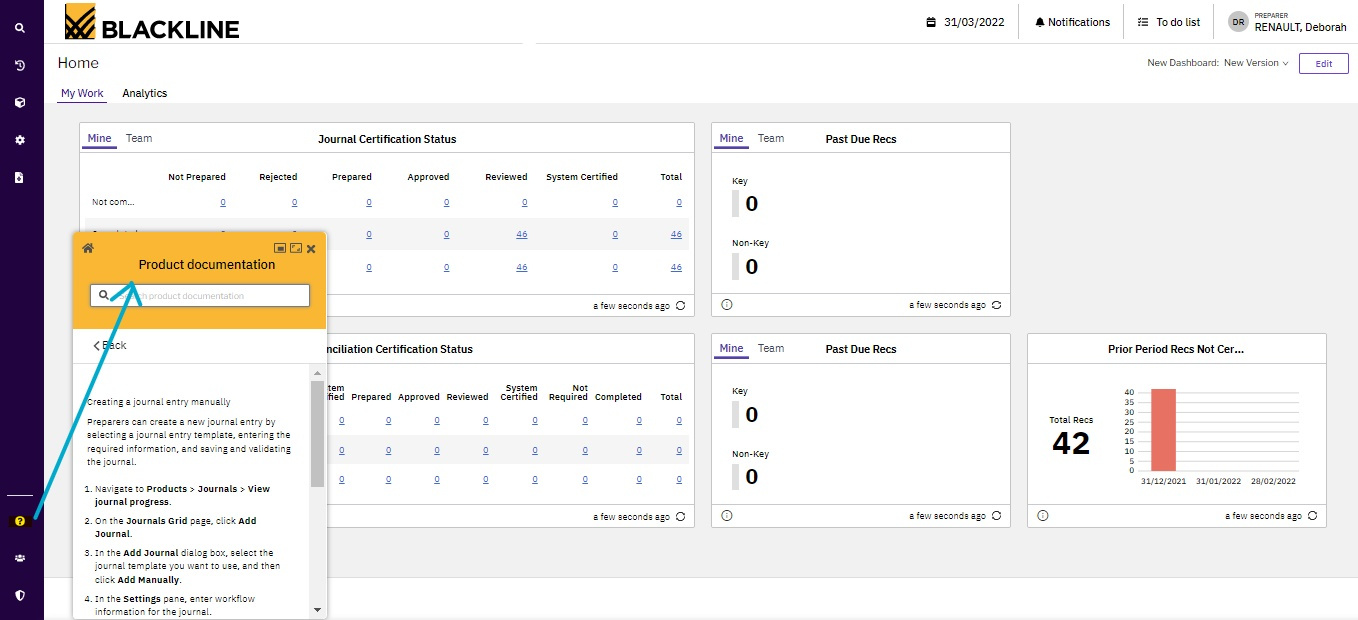
- Modernization of the user interface, with a new documentation portal that is more ergonomic and accessible.
To continue its approach of modernizing the tool, the software provider has completely overhauled access to the documentation portal over the last few months. Indeed, it has been migrated to a new site, and it is now possible to view all the documents available to you directly from the BlackLine environment. This new platform offers significant navigation comfort and saves time when searching for the items you need.
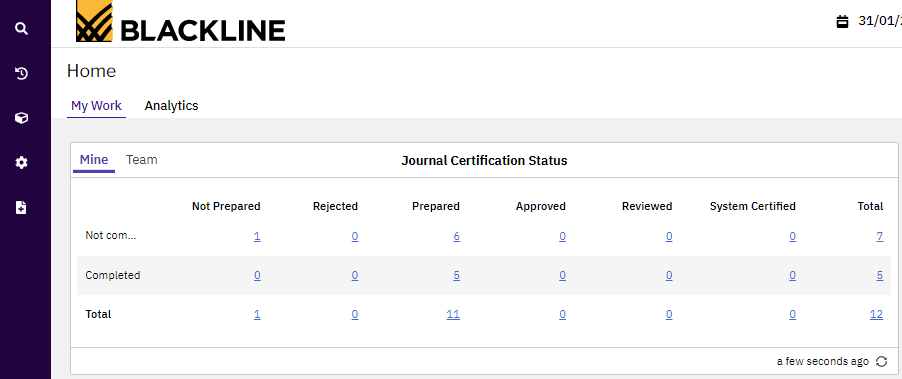
- New Journal Certification Dashboard: a dashboard for entry status accessible from the home page.
This concerns users of the Journal Entry module and allows you to view all your journals with their corresponding status, similar to the dashboard for the Account Reconciliations module. This report is very useful as each user can identify which stage of the workflow their journals are in (Prepared, Approved, Rejected, Reviewed, etc.) and know if action is required on their part, right from their home page. This feature provides better visibility into the status of entries.
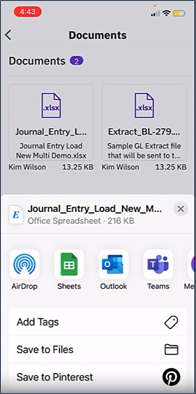
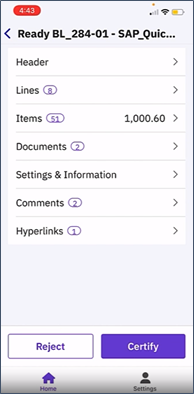
- Approval of entries via the new BlackLine mobile application, available for iPhone or Android.
This highly anticipated feature allows all users of the Journal Entry module to approve journals on the go, directly from their smartphone. This applies to the Approver and Reviewer roles, thus for entry approval actions, providing significant time savings. Users can now review entries created by Preparers and approve them on the fly, no matter where they are, without having to open their PC.
- Account Analysis: a new template in the Account Reconciliations module.
Until now, in the Account Reconciliations module, it was only possible to report G/L account balances, even though account substantiation is most often based on a transactional data level. With the Account Analysis template, it is now possible to import transactional data directly from the ERP into BlackLine by adding automatic grouping criteria. Note that this new feature only works by combining the Account Reconciliations and Transaction Matching modules.
Here is an overview of the new features related to the latest releases of the solution, which clearly illustrates BlackLine’s continuous improvement approach and its attentiveness to feedback from its clients.
To get all the details of the new releases, you can find them at the following link: https://myblackline.force.com/BlackLineCommunity/s/product-releases
You will find all the necessary documentation there, as well as explanatory videos.
If you would like to know more about our BlackLine-related services, you can contact us at the following address: jsaccona@meltone.com
We look forward to seeing you at the next release!
Let’s discuss your challenges and our solutions
Let’s talk about your project and discover how MeltOne can turn your challenges into concrete, high-performing solutions.