wHAT’S NEW in Anaplan November 2023
Anaplan regularly updates the content and features of its platform. This is an opportunity for MeltOne to present these new features, put them into context, and illustrate them with use cases.
Here are the latest new features:
🎨1. Chart palettes
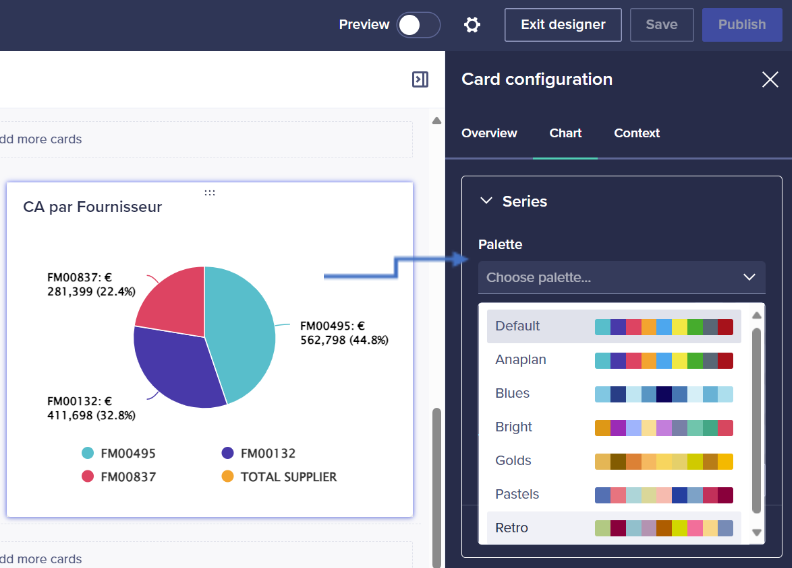
The colours of your charts can now be harmonised by using a selection of palettes. You can also create your own custom palettes using your company’s colours.
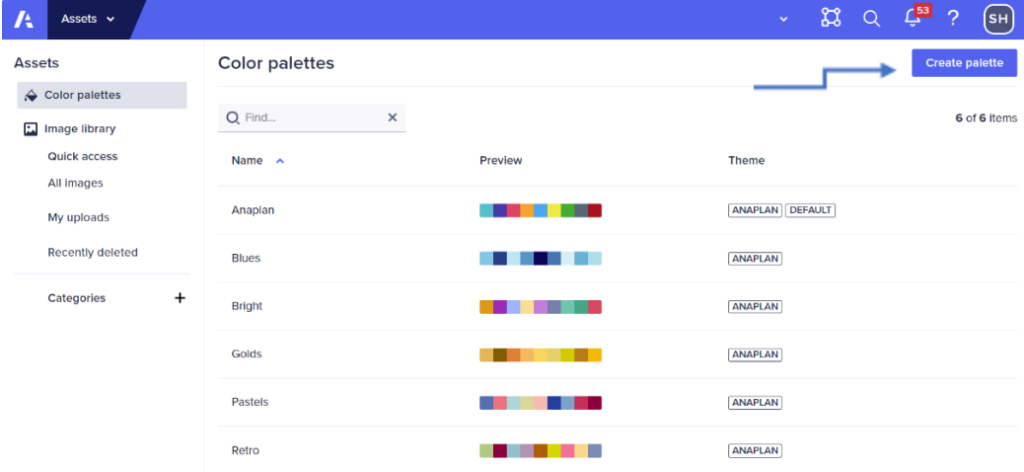
To manage colour palettes, you must be a page builder or a workspace administrator. You can choose from the six built-in colour palettes and create up to a maximum of 20 new ones.
Use case 1: I want to apply a palette to a chart.
Use case 2: I want to create a colour palette.
2.🔃 Update to contextual settings
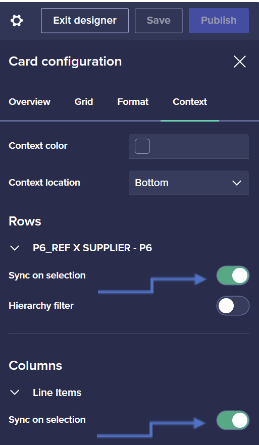
The user interface for contextual settings now brings together the former sections for context selectors, rows, and columns. This update includes two other enhancements, such as the ability to change a selector’s locale and colour.
Use case: I want to synchronise rows and columns with the page context.
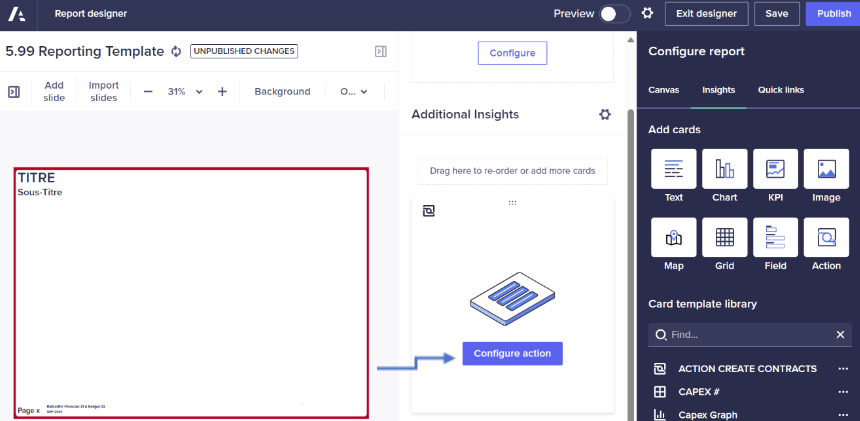
3. 🔃 Update to the Statistics panel (or Additional Insights)
It is now possible to add actions to the Insights panel of a report in Anaplan. Update your data and export your reports using these actions. The Optimizer and PlanIQ features are also available in the panel.
4.🧠 New algorithm in PlanIQ
Anaplan unveils its new algorithm in PlanIQ. Anaplan Prophet uses trends and seasonal patterns to generate forecasts. It makes it easier to understand the factors impacting forecasts and improves execution speed. Automated tuning of algorithms based on automated analysis of collected data increases forecast accuracy. Finally, adding related data is the latest improvement to this algorithm: you can include up to 28 columns of associated time-series data.
If you would like to learn more about these new features or request a demonstration, please contact jsaccona@meltone.com.
Let’s discuss your challenges and our solutions
Let’s talk about your project and discover how MeltOne can turn your challenges into concrete, high-performing solutions.