MARCH 2023 RELEASE: WHAT’S NEW IN POWER BI?
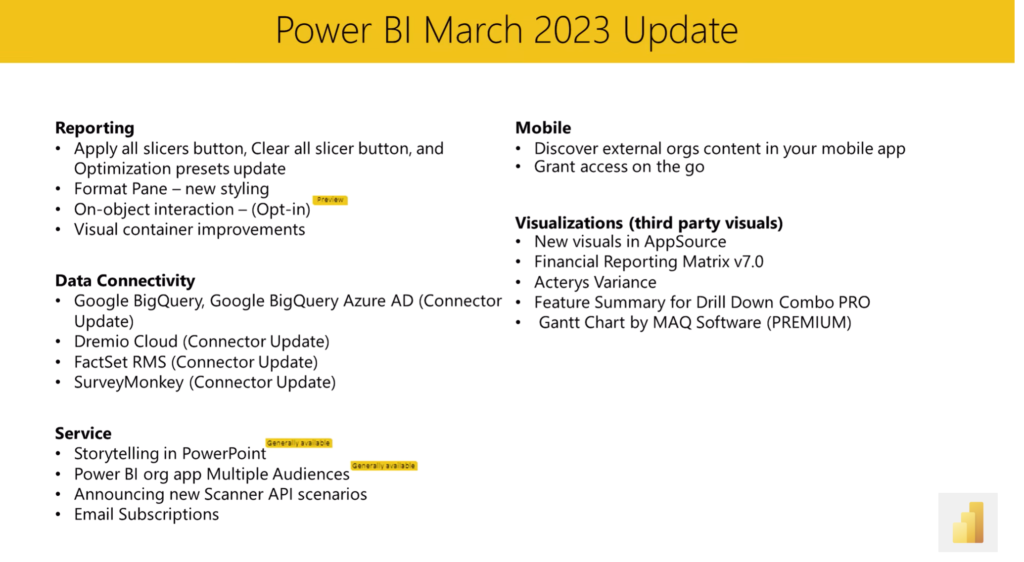
Power BI, Microsoft’s well-known Business Intelligence platform, recently released a new update (2.115.663.0) with features that promise to make data analysis and report creation easier and more efficient. This article gives you an overview of some of the most interesting new features and the benefits they can bring to users.
1 – DirectQuery for Power BI datasets
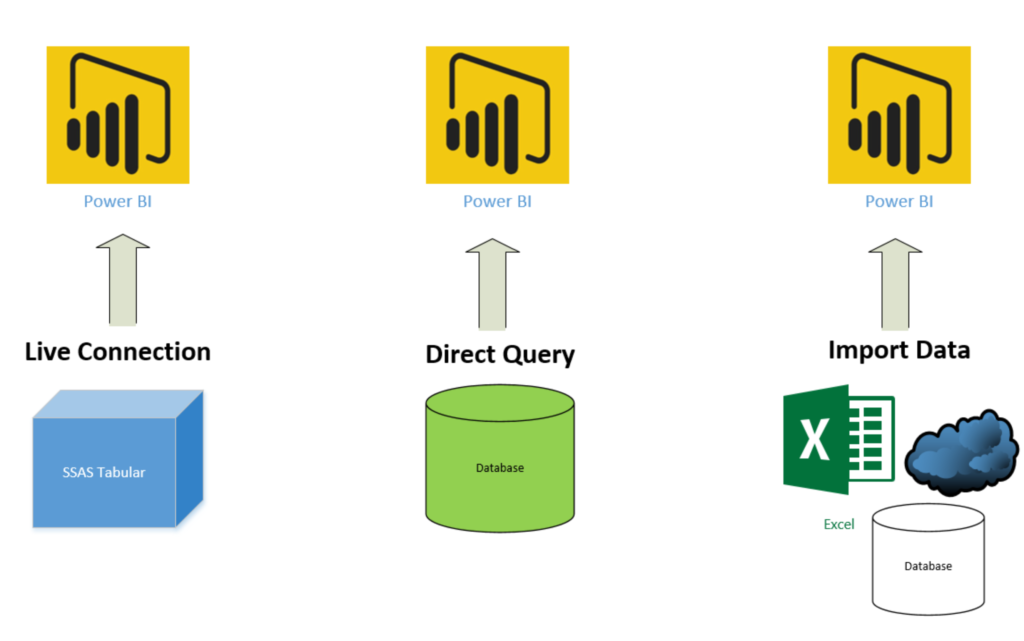
One of the most significant new features in the latest version is DirectQuery for Power BI datasets. This feature allows users to create reports using data stored in Power BI datasets, without having to import it into a separate data model. This means users can create reports that are always up to date with the latest data, without having to worry about data refresh or data modelling.
2 – Smart Narratives
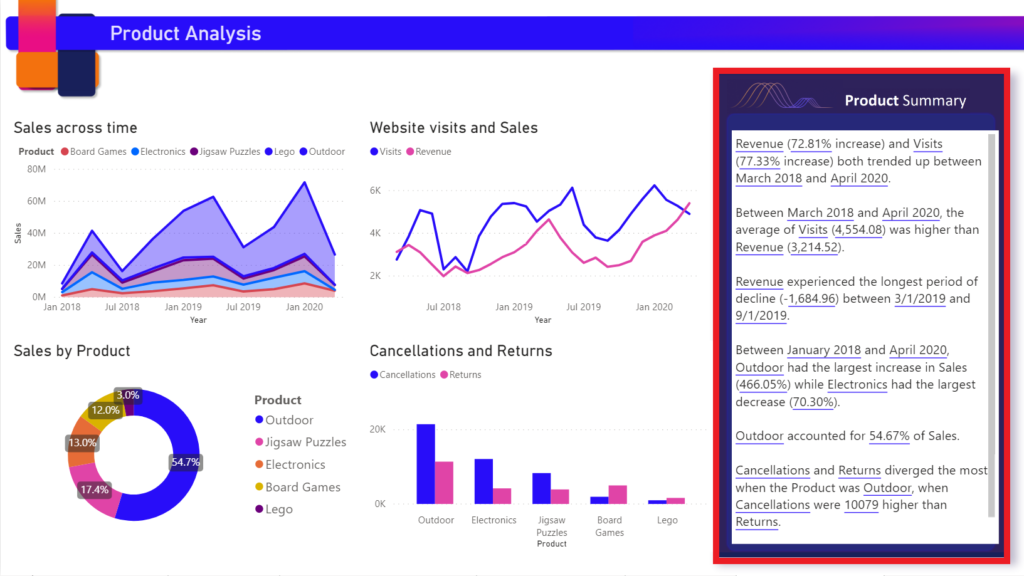
Another new feature that promises to improve report interpretability is “Smart Narratives”. This function uses natural language processing (NLP) to automatically create descriptions and explanations of data points in reports. Users can save a great deal of time and effort when creating reports, as they no longer need to manually write descriptions of their data.
3 – Automatic page refresh
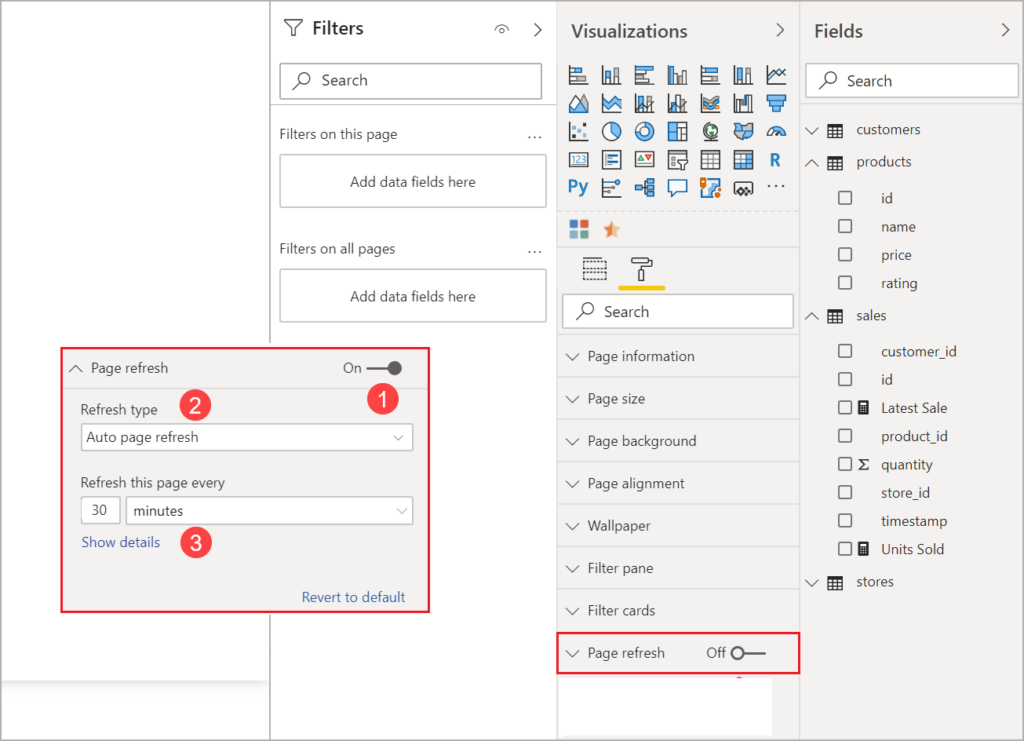
Power BI’s new automatic page refresh feature allows users to configure their reports to be refreshed automatically at specific intervals. This feature can be particularly useful for users who need to monitor real-time data or who want to keep their reports up to date without having to refresh them manually.
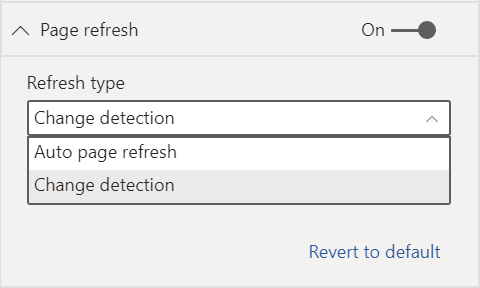
It is also possible to enable the Change detection feature to refresh your report pages based on the detection of critical events, for example in the event of a product failure. This option allows you to have real-time data and display key signals as soon as they occur.
4 – Custom visuals
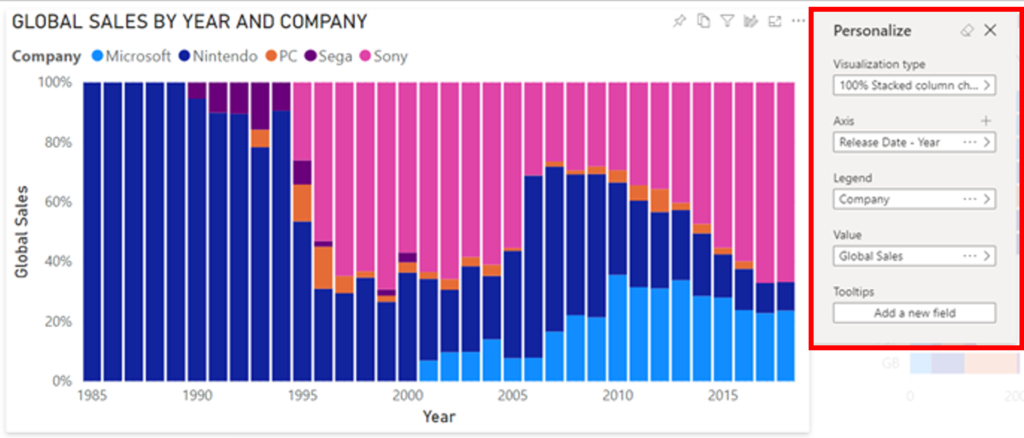
Another new feature that will interest users is custom visuals. This option allows users to customise the appearance of the visual elements in their reports according to their personal preferences. This may include changing colours, fonts, and other visual elements.
5 – Enhanced AI capabilities
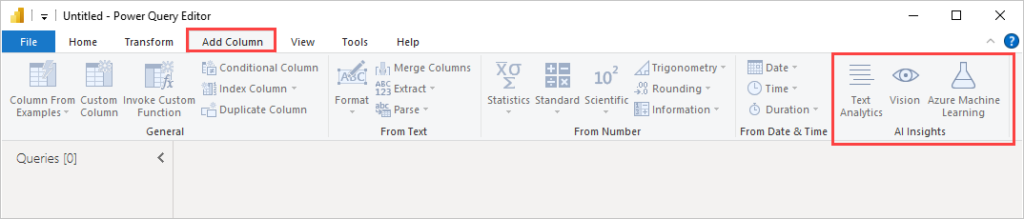
Finally, the latest version of Power BI includes several improvements to its AI capabilities, including new AI visuals and machine learning functions such as image recognition or text analysis. These tools can help users derive insights from their data that may not be immediately visible, and can be particularly useful for users who are new to data analysis.
In short, whether it is DirectQuery for Power BI datasets, Smart Narratives, or custom visuals, these tools can help users save time and gain valuable insights from their data.
For more information on all the new features, you can visit: What’s new in the latest Power BI update – Power BI | Microsoft Learn:
Let’s discuss your challenges and our solutions
Let’s talk about your project and discover how MeltOne can turn your challenges into concrete, high-performing solutions.