“Spring Release 2023”: What’s new in BOARD?
The latest BOARD release will be available starting the first week of February. Here is a preview of the main features that will be made available to developers, as well as end users.
Here is a summary of these new features:
- Change the scale of displayed values
- Show / hide columns
- New styles for dimensions
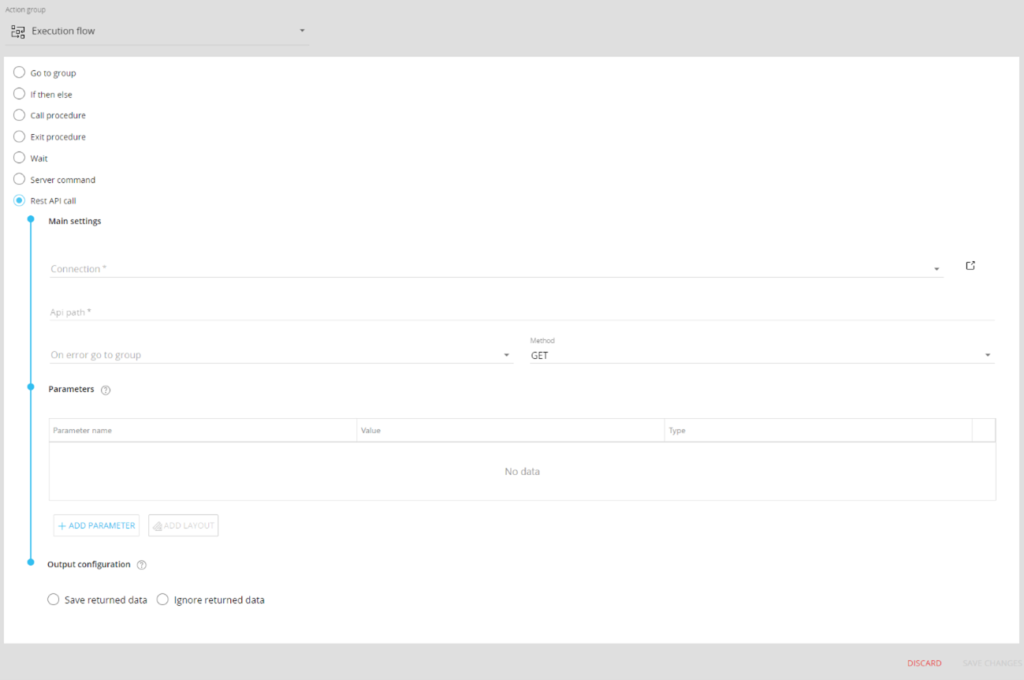
- New procedure step: “REST API Call”
1. Change the scale of displayed values
The DataView options side panel (or toolbar) has been improved and includes a new value scale option in read mode (available to end users), allowing them to see the configured scale and modify it.
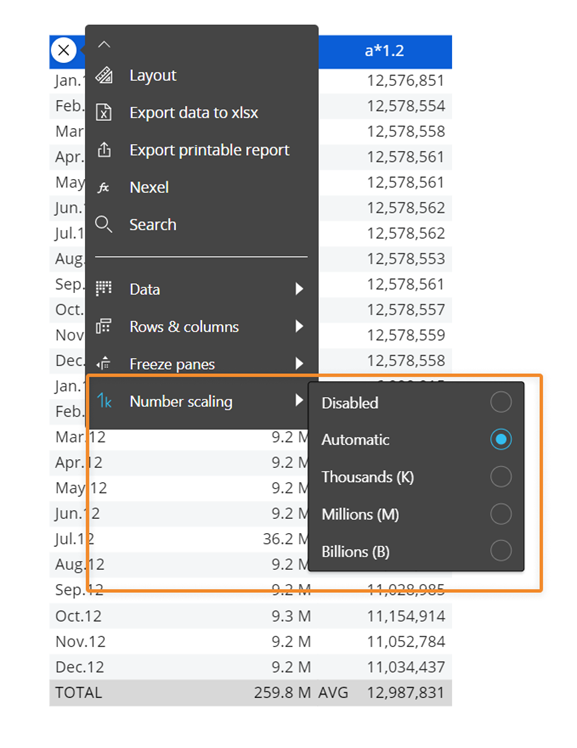
2. Show / hide columns
Also in the DataView options side panel (or toolbar) in read mode, it is now possible to show / hide all columns by checking the “All” box.
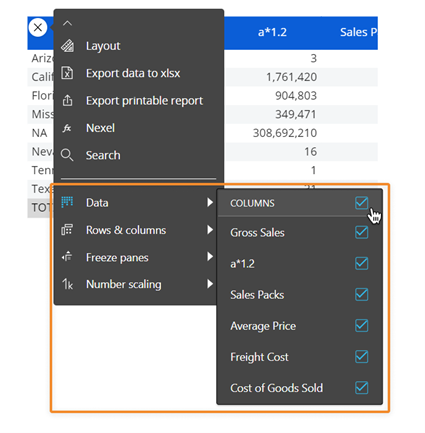
The selection of specific columns obviously remains available.
For these first two new features, once a user has made a change, they can save it for their profile by integrating it:
- into a presentation

- into their display preferences

3. New styles for dimensions
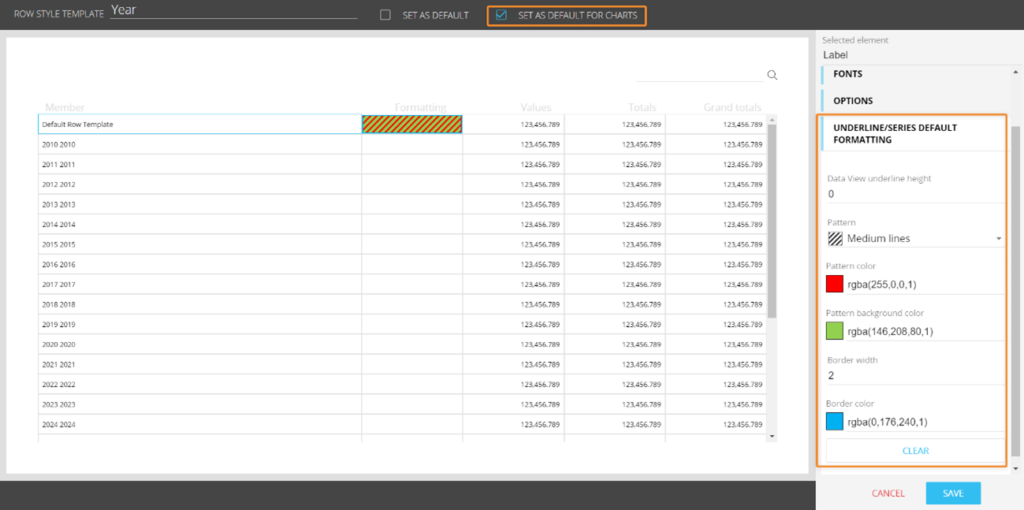
Style templates are enriched with new options for DataViews and charts.
- Data underlining: for DataViews, a sub-line height can now be defined as well as its color
- Cell pattern: by activating a pattern, two colors can be selected: the foreground and the background of the pattern
- Border: thickness and color
These properties apply in a DataView for an entity in a row, in a column, or used with the “Refer To” or “Detail By” options.
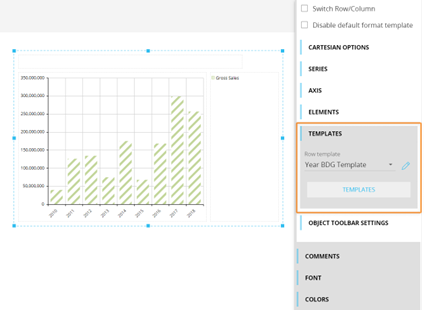
These properties can only be applied to charts:
Format selection is now available in charts, with the option to disable the default format and apply a specific format:
4. New procedure step: “REST API Call”
In the procedure editor, under the “Execution Flow” section, this new step allows for better integration of BOARD with third-party applications or other BOARD platforms.
This new step allows procedures to be launched in other systems and to send or receive data in bulk (in JSON format).
You can find all the new features of this Spring Release by clicking here.
Would you like to learn more about the new BOARD features and see a demonstration? Contact us: jsaccona@meltone.com
Let’s discuss your challenges and our solutions
Let’s talk about your project and discover how MeltOne can turn your challenges into concrete, high-performing solutions.